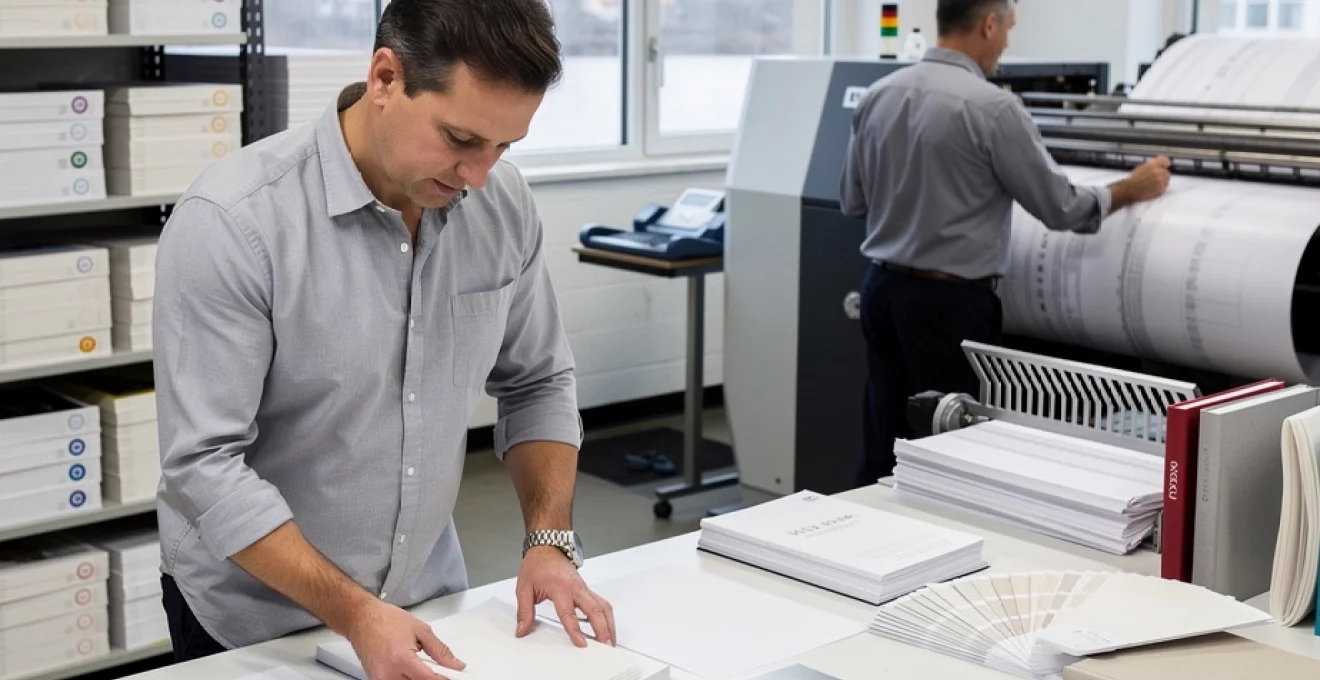
The success of any print project hinges on countless decisions, but none carries more weight than your paper selection. While designers often focus on visual elements like typography, colour schemes, and imagery, the substrate that carries these elements can elevate exceptional work or render it completely ineffective. Professional printers understand that paper isn’t merely a blank canvas—it’s an integral component that influences everything from ink absorption and colour reproduction to durability and tactile experience.
Modern printing demands have evolved far beyond simple office documents and basic marketing materials. Today’s projects require sophisticated understanding of how different paper characteristics interact with various printing technologies, finishing processes, and end-use applications. Whether you’re producing luxury packaging, technical documentation, or outdoor signage, the wrong paper choice can result in costly reprints, disappointed clients, and missed deadlines.
The complexity of contemporary paper selection extends well beyond traditional categories like glossy versus matte finishes. Professional print buyers must navigate intricate specifications including grain direction, opacity ratings, coating formulations, and environmental certifications whilst balancing performance requirements against budget constraints.
Understanding paper weight and GSM classifications for professional print applications
Paper weight specifications form the foundation of professional print planning, yet many designers and print buyers still struggle with the nuances of GSM measurements and their practical implications. The metric system’s grams per square metre (GSM) provides precise, standardised measurements that eliminate the confusion often associated with traditional imperial measurements. Understanding these classifications enables you to make informed decisions that directly impact both print quality and project costs.
The relationship between paper weight and perceived quality isn’t always linear, though heavier papers generally convey premium positioning. However, excessive weight can create challenges in folding, binding, and postal regulations whilst unnecessarily inflating production costs. The key lies in selecting the optimal weight that supports your project’s functional requirements whilst delivering the desired tactile experience.
Decoding GSM measurements: from 80gsm copy paper to 350gsm card stock
Standard office copy paper typically weighs between 80-90gsm, providing adequate opacity for double-sided printing whilst maintaining cost efficiency for high-volume applications. This weight category serves as the baseline for most business communications, offering reliable performance across various printer types and finishing processes. However, for professional presentations or client-facing materials, the lightweight feel can undermine perceived value.
Mid-weight papers ranging from 130-170gsm occupy the sweet spot for many commercial applications. Brochures, flyers, and marketing collateral benefit from this weight range, which provides enhanced durability without creating bulk issues in binding or mailing. The increased substance improves colour saturation and reduces show-through, particularly important when printing high-coverage designs or dark backgrounds.
Heavy-weight papers exceeding 250gsm enter card stock territory, offering exceptional durability and premium tactile qualities. Business cards, covers, and luxury packaging applications leverage these weights to convey quality and permanence. However, heavy stocks require careful consideration of printer specifications, folding capabilities, and finishing limitations.
Paper weight categories: text, cover, and index stock specifications
Professional paper classification systems divide weights into distinct categories that align with specific applications and performance requirements. Text weight papers, typically ranging from 60-120gsm, encompass most general printing applications including books, magazines, and standard commercial printing. These papers balance printability with economy, offering versatile performance across various printing technologies.
Cover weight papers, spanning 130-350gsm, provide enhanced durability and premium feel essential for book covers, folder construction, and high-end marketing materials. The increased thickness supports advanced finishing techniques including embossing, foil stamping, and complex die-cutting operations. Cover weight selection requires careful coordination with binding methods to ensure proper functionality.
Index stock specifications address specialised applications requiring exceptional durability and tear resistance. These papers, often exceeding 170gsm, serve applications including filing systems, reference materials, and industrial documentation where longevity supersedes aesthetic considerations.
Caliper thickness impact on print quality and finishing processes
Caliper measurements, expressed in thousandths of an inch or micrometers, provide precise thickness specifications that directly influence finishing capabilities and print performance. Thicker papers generally exhibit superior ink holdout
Caliper measurements, expressed in thousandths of an inch or micrometers, provide precise thickness specifications that directly influence finishing capabilities and print performance. Thicker papers generally exhibit superior ink holdout, reducing dot gain and maintaining sharper image reproduction, particularly on high-coverage designs. However, increased caliper also affects how sheets travel through presses, folders, and inserters, making it essential to confirm that your chosen stock is compatible with your production equipment.
From a finishing perspective, caliper governs everything from spine width calculations to crease depth and folding behaviour. For perfect-bound books, accurate caliper data enables precise spine measurements and prevents issues such as overly tight or loose covers. In folding applications, heavier calipers typically require pre-scoring to prevent cracking along the fold, especially on coated cover stocks. When planning a professional print project, always request the paper’s caliper specification alongside its GSM so your printer can anticipate potential challenges in trimming, binding, and mailing.
Bond weight vs. text weight: american and european paper standards
One of the most frequent sources of confusion in professional print planning arises when American bond and text weights are compared with European GSM standards. In North America, bond (or writing) paper weights such as 20 lb, 24 lb, or 28 lb refer primarily to office and stationery grades, while text weights such as 60 lb, 70 lb, or 80 lb are used for higher-quality book and brochure papers. These pound ratings are based on the weight of 500 sheets of a specific parent sheet size, which varies by category, making direct comparison challenging without a conversion chart.
By contrast, European and international markets rely on the GSM system, where 80gsm refers to the mass of one square metre of paper irrespective of its size. As a rough equivalence, 20 lb bond is similar to 75–80gsm, 24 lb bond approximates 90gsm, and 80 lb text aligns with roughly 118–120gsm. When you are working across regions or interpreting specifications from different suppliers, clarifying whether a quoted weight is bond, text, or cover stock avoids costly mistakes such as ordering a sheet that is far lighter or heavier than intended.
For global brands, standardising internal specs in GSM and then mapping those requirements to local bond or text equivalents can streamline communication with multiple printers. Many professional print providers maintain ready-reference conversion tables and can recommend the closest locally available stock that meets your desired stiffness, opacity, and finish. Whenever a specification seems ambiguous, ask your printer to confirm both the nominal weight and the GSM to ensure your print project behaves as expected on press and in the end user’s hands.
Paper grain direction and its critical role in print production
Beyond weight and thickness, grain direction is one of the most overlooked yet critical factors in professional paper selection. Paper fibres align predominantly in one direction during manufacturing, known as the grain direction or machine direction. This alignment determines how paper will fold, crack, curl, and even expand or contract in response to humidity changes.
Ignoring grain direction can compromise everything from the way a brochure opens to the structural integrity of a perfect-bound book. You might have seen covers that resist opening or pages that spring shut; in many cases, this is a direct consequence of printing or binding against the grain. Understanding and specifying correct grain direction equips you to produce print pieces that feel natural to handle and withstand long-term use.
Long grain vs. short grain: optimising fold quality and binding strength
In long grain papers, the fibres run parallel to the sheet’s longest side, whereas in short grain papers, fibres run parallel to the shortest side. This distinction matters because paper folds more cleanly and with less cracking when folded parallel to the grain. For most brochures, folded leaflets, and book interiors, you will achieve superior fold quality and reduced cracking by ensuring folds follow the grain direction.
Binding applications amplify the importance of grain direction. In saddle-stitched and perfect-bound books, the grain of interior pages should run parallel to the spine to minimise page warp and ensure the book opens comfortably. A cross-grain book block can resist opening, create undue stress on the spine glue, and shorten product lifespan. When planning a multi-page document, confirm with your printer whether the stock is supplied as long grain or short grain and how that aligns with the finished trim size and binding method.
For packaging and structural applications, choosing the correct grain direction also improves overall strength and resistance to deformation. Carton blanks typically orient the grain to support stress points such as hinges and closures. A simple rule of thumb helps: whenever a piece needs to bend or flex at a certain point, aim to align the grain with that motion rather than against it.
Machine direction fibres: impact on ink absorption and drying times
The orientation of fibres in the machine direction does more than affect folding—it also subtly influences ink absorption and drying behaviour. Because fibres align more tightly along the grain, paper can exhibit slightly different surface porosity and compressibility in the machine versus cross direction. On high-speed offset or digital presses, this can translate into minor variations in ink laydown, gloss level, and drying times across the sheet.
In high-coverage areas or solid colour fields, these variations may become visible as banding or uneven sheen if the paper and press settings are poorly matched. Professional printers compensate by adjusting ink density, fount solution, or digital press profiles to account for grain-related behaviour. When you are specifying critical colour work—such as brand colours on luxury packaging—discuss with your printer how grain direction and machine settings are managed to ensure consistent results across the run.
From a practical standpoint, knowing that paper typically expands more across the grain than along it helps when planning tight registration work. Environmental changes in humidity can cause dimensional shifts that are more pronounced in the cross direction. Aligning critical registration elements, fine rules, or die-cut tolerances with this understanding reduces the risk of misalignment and visual defects in the finished print.
Grain direction testing methods: tear test and moisture curl analysis
What if grain direction is not clearly indicated on the ream label or spec sheet? Simple tests allow you or your production team to identify it quickly. The most common is the tear test: tear a small strip from the sheet in both directions. Paper tears more straight and cleanly along the grain, while tearing across the grain produces a more jagged, wandering edge. By comparing the two, you can determine which edge aligns with the grain.
Another practical test is the fold test. Gently fold the sheet in both directions without creasing it fully. The fold parallel to the grain will feel smoother and offer less resistance, while the cross-grain fold often feels stiffer and may show micro-cracking along coated surfaces. This quick assessment is particularly useful when evaluating coated cover stocks for multi-fold brochures or complex packaging layouts.
In more controlled environments, printers may also perform moisture curl analysis. Lightly dampening one side of the sheet causes it to curl; the sheet typically curls with the grain on the concave side due to differential expansion across the fibres. While you may not conduct this test in a studio setting, understanding the principle helps explain why some printed pieces curl toward the printed side or along specific edges after exposure to changing humidity conditions.
Cross-grain printing challenges: registration issues and paper curl prevention
Cross-grain printing—where the primary layout or binding runs perpendicular to the grain—introduces a range of potential problems. Sheets are more likely to curl across the grain, particularly after heavy ink coverage or aqueous coating, which can create feeding issues on press or in finishing equipment. You might notice tri-fold brochures that never lie flat or book covers that bow awkwardly; often, cross-grain construction is the culprit.
Registration accuracy can also suffer in cross-grain conditions, especially on long press runs or in variable humidity. As the sheet expands more across the grain, the image position can drift slightly, leading to misaligned colours or off-centre trims when tolerances are tight. When your design relies on precise alignment of front and back pages, fine type, or intricate die-cuts, specifying grain direction correctly becomes a risk mitigation strategy, not just a technical detail.
To prevent these issues, involve your printer early in decisions about format, imposition, and paper orientation. Sometimes a small adjustment to the finished size, orientation, or binding method allows the job to run with the grain without significant cost impact. When cross-grain use is unavoidable—for example, due to sheet size constraints—your printer may recommend specific stocks with better dimensional stability, controlled humidity in production, or alternate finishing techniques to keep curl and registration problems to a minimum.
Coating technologies and surface treatments for enhanced print performance
While weight and grain govern a sheet’s physical behaviour, surface coatings and treatments determine how it interacts visually and tactilely with ink and light. Modern coating technologies range from traditional clay coatings on gloss and silk papers to advanced polymer layers and inline press coatings. Each option modifies the paper’s absorbency, smoothness, and reflectivity, directly affecting colour vibrancy, sharpness, and durability.
Cast-coated papers, for example, achieve an ultra-high-gloss finish by drying the coated surface against a polished chrome drum, producing mirror-like reflections ideal for premium packaging and labels. By contrast, matte and silk coatings offer controlled ink absorption and a refined, low-glare surface that suits text-heavy brochures and high-end editorial projects. Choosing the right coated paper for professional printing is a balance between desired visual impact, readability, and practical considerations like fingerprint resistance and scuff durability.
Beyond factory-applied coatings, printers can enhance or protect prints with aqueous coatings, UV varnishes, and laminates. Aqueous coatings provide fast-drying protection against rubbing and fingerprints, making them well suited to high-volume marketing materials and packaging that must withstand handling. Spot UV varnish allows you to highlight specific design elements—logos, headlines, or imagery—by adding a high-gloss contrast over a matte background, creating a tactile and visual hierarchy that draws the eye.
Lamination—using thin films such as gloss, matte, or soft-touch—takes protection and tactility a step further. Soft-touch laminates, in particular, impart a velvety, rubberised feel that aligns with luxury branding in sectors like cosmetics, technology, and premium beverages. Because laminates add stiffness and alter fold characteristics, it is essential to coordinate film choice with paper weight and grain direction to avoid cracking or delamination at folds and scores.
Specialty papers for advanced print techniques and applications
For projects that need to stand out in competitive markets, standard coated and uncoated sheets are sometimes not enough. Specialty papers open up a broader palette of visual and tactile effects, making them invaluable for advanced print applications such as security documents, outdoor signage, or luxury invitations. These substrates often require specific handling on press and in finishing, so early dialogue with your printer is crucial.
When you are planning a print piece that must survive extreme conditions, convey prestige, or resist counterfeiting, thinking beyond basic paper grades pays dividends. From synthetic waterproof stocks to metallic and pearlescent sheets, each specialty material brings distinct advantages—as well as technical considerations—you need to factor into your design and production planning.
Synthetic substrates: yupo, teslin, and polyart for waterproof applications
Synthetic papers like Yupo, Teslin, and Polyart are engineered from polypropylene or polyester rather than wood pulp, giving them exceptional durability and water resistance. These substrates are ideal for applications where traditional paper would quickly fail, such as outdoor signage, maps, menus, industrial tags, and wristbands. Unlike lamination, the waterproof and tear-resistant properties are inherent to the material, so they remain effective even when edges are cut or scratched.
Printing on synthetic substrates requires careful matching of ink systems and press conditions. Many synthetics are optimised for specific technologies—such as offset with oxidative inks, UV-curing inks, or certain high-end digital presses—while others may not be compatible with standard toner devices due to heat sensitivity. Because synthetics typically have lower surface absorbency than paper, inks sit more on the surface, producing sharp, saturated colours but also demanding adequate drying or curing time to prevent smudging.
Designers should also consider finishing implications. Synthetic sheets can behave differently in cutting, creasing, and folding operations, sometimes requiring adjusted tool profiles or lower folding speeds to avoid cracking or whitening along score lines. When your project calls for waterproof printing—like a ski resort map that must survive snow and moisture—share usage scenarios with your printer so they can recommend the most appropriate synthetic brand and thickness.
Security paper features: watermarks, security threads, and chemical protection
Security papers are purpose-built to deter forgery, tampering, and unauthorised duplication. Common in applications such as certificates, tickets, vouchers, and sensitive legal or financial documents, these papers incorporate features that are either visible, hidden, or machine-readable. By integrating security at the substrate level, you add a layer of protection that is significantly more difficult to replicate than printed graphics alone.
Traditional security elements include watermarks embedded during papermaking, visible when held up to the light, and security threads—metallic or polymer strips partially or fully embedded in the sheet. More advanced solutions may incorporate microprinting, fluorescent fibres visible under UV light, or chemical protection that reacts to attempts at alteration using solvents or bleaches. Some stocks are designed to show tamper evidence, such as staining or fibre disruption, if someone tries to erase or modify printed information.
When specifying security paper, you must weigh the level of risk against budget and practicality. High-end banknote-style substrates can be expensive and may require specialised printers with appropriate certifications, whereas mid-level security stocks are accessible to a broader range of commercial print providers. It is also essential to coordinate design choices—such as background patterns, guilloches, and holographic foils—with the inherent paper features to create a cohesive, layered security strategy.
Textured papers: laid, linen, and canvas finishes for premium print projects
Textured papers introduce an additional sensory dimension to printed materials by engaging the sense of touch as well as sight. Laid papers mimic the linear patterns of traditional hand-made sheets, linen textures evoke the subtle weave of fine fabric, and canvas finishes replicate the surface of an artist’s canvas. These textures are particularly effective for premium stationery, invitations, boutique packaging, and fine-art reproductions where tactility reinforces brand positioning.
Because textured papers have more pronounced surface variation, they interact with ink and toner differently from smooth coated stocks. Fine type and small details may appear slightly softer, and large areas of flat colour can take on a subtly mottled appearance as ink settles into the valleys of the texture. For some brands, this organic, tactile quality is precisely the appeal, but it does require realistic expectations and, ideally, press proofs to confirm that critical design elements reproduce as intended.
From a technical standpoint, textured stocks may need adjusted press pressure, slower running speeds, or specific ink formulations to achieve even coverage and avoid fill-in of the texture. Foil stamping, embossing, and debossing often pair beautifully with these surfaces, adding further depth and perceived value. When you are planning premium print projects on textured paper, collaborating early with your printer on sample pulls and mock-ups helps you strike the right balance between design ambition and achievable production quality.
Metallic and pearlescent papers: stardream, curious metallics, and shine applications
Metallic and pearlescent papers, such as Stardream, Curious Metallics, and Shine, offer built-in shimmer that can transform even simple designs into statement pieces. Their surfaces incorporate mica or metallic pigments within the coating or base sheet, creating a reflective, iridescent effect that changes subtly with viewing angle and light source. These substrates are popular for luxury invitations, premium packaging, high-end business cards, and seasonal promotions where visual impact is paramount.
Designing for metallic papers calls for a slightly different mindset than designing for plain white stocks. Because the base sheet already contributes colour and sheen, printed inks may appear darker or more subdued than on standard paper. Transparent process inks allow the metallic undertone to show through, while opaque white or spot colours can be used to block out or modulate the effect where necessary. A useful analogy is painting on a coloured, reflective wall instead of a matte white one—the underlying surface always influences the final appearance.
From a production standpoint, metallic and pearlescent papers can be more challenging to run on some digital presses due to their conductive or reflective coatings. Offset presses typically handle them well, provided the correct ink and fountain solutions are used. Because these stocks tend to be premium-priced, conducting short test runs or using printer-supplied swatch books with printed samples is a smart way to validate colour expectations before committing to a full campaign.
Paper opacity and show-through prevention in double-sided printing
Opacity—the degree to which paper prevents light from passing through—is a critical specification for any double-sided print project. Low opacity can lead to show-through, where text or images from the reverse side are visible, compromising readability and perceived quality. This is particularly problematic for documents with dense text, dark solids, or high-contrast graphics printed on both sides.
Several factors influence opacity: basis weight, fibre composition, fillers, and even shade. Heavier papers generally provide higher opacity, but certain engineered lightweight stocks achieve impressive opacity through optimised fibre blends and fillers like titanium dioxide. When you are producing booklets, manuals, or brochures that must be lightweight but still readable, choosing paper with enhanced opacity can be more effective than simply increasing GSM.
Design techniques also play a role in managing show-through. Avoid aligning dense dark elements directly back-to-back across the sheet, and consider using slightly lighter tints for large solids on thinner stocks. Printers can help by recommending house sheets with proven opacity performance for common applications such as annual reports or catalogues. Whenever opacity is critical—for example, in legal documents or premium magazines—requesting printed samples or drawdowns on the exact stock gives you a realistic preview of double-sided behaviour.
Environmental considerations: FSC certification and sustainable paper selection
As brands and consumers become more environmentally conscious, sustainable paper selection has moved from a niche concern to a core purchasing criterion. Today, many clients explicitly request evidence that print projects support responsible forest management and carbon reduction efforts. This shift means that environmental specifications—once an afterthought—should now sit alongside weight, finish, and cost in your decision-making process.
FSC certification (Forest Stewardship Council) is one of the most widely recognised indicators of responsible sourcing. FSC-certified papers originate from forests managed to rigorous environmental, social, and economic standards, helping to ensure biodiversity, worker protection, and long-term forest health. When you choose FSC-certified stocks and allow your printer to include the appropriate logo, you provide verifiable proof to stakeholders and customers that your print project aligns with sustainable forest management practices.
Beyond FSC, you can evaluate recycled content levels, carbon-balanced paper options, and mill-level energy sourcing. Recycled papers—often containing 30% to 100% post-consumer fibre—reduce demand for virgin pulp and can significantly lower overall environmental impact when produced efficiently. Carbon-balanced or carbon-neutral papers go a step further by quantifying the CO₂ emissions associated with production and transportation, then offsetting them through accredited conservation or renewable energy projects.
Of course, sustainability is also about using the right amount of material, not just the “greenest” one. Sometimes a slightly lighter yet higher-opaqueness sheet can reduce total tonnage and shipping emissions without sacrificing quality. Working closely with your printer to compare sustainable paper options, evaluate real-world environmental data, and optimise formats and impositions allows you to reduce waste while maintaining or even enhancing the effectiveness of your print communications. In an era where 80%+ of consumers say they prefer environmentally responsible brands, these decisions are not just ethical—they are strategic.