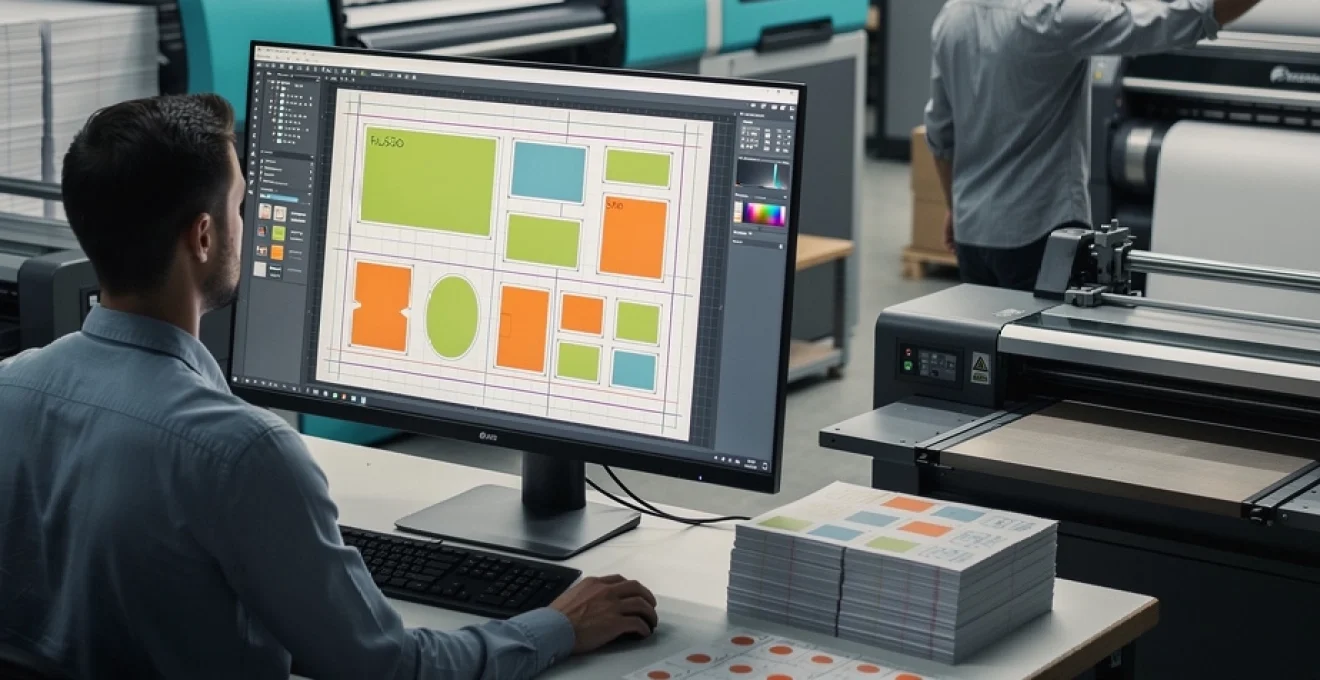
The printing industry faces unprecedented pressure to deliver high-quality results while maintaining competitive pricing and sustainable practices. Material waste, inefficient layouts, and suboptimal press utilisation contribute significantly to escalating production costs across commercial printing operations. Modern print service providers must master sophisticated layout strategies to remain profitable in an increasingly demanding marketplace.
Effective layout planning extends beyond simple arrangement of elements on a sheet. It encompasses comprehensive understanding of substrate properties, equipment capabilities, finishing requirements, and production workflows. Print buyers and service providers who embrace intelligent layout methodologies can achieve material savings of 15-30% while improving delivery times and quality consistency. The integration of advanced software solutions and systematic approaches to layout optimisation transforms traditional prepress operations into strategic cost centres.
Print layout design principles for material optimisation
Successful print layout optimisation begins with fundamental design principles that prioritise material efficiency without compromising quality. The relationship between design elements, substrate utilisation, and production requirements forms the foundation of cost-effective printing operations. Understanding how different layout approaches impact material consumption enables print professionals to make informed decisions that benefit both profitability and environmental sustainability.
Material optimisation requires careful consideration of sheet sizes, grain direction, and finishing requirements during the initial design phase. Designers must collaborate closely with production teams to ensure artwork specifications align with available substrates and equipment capabilities. This collaborative approach prevents costly modifications during production and minimises material waste through proactive planning.
Gang run printing strategies for multiple job efficiency
Gang run printing represents one of the most effective strategies for maximising sheet utilisation across multiple client projects. By combining different jobs onto single sheets, print providers can achieve significant material savings while offering competitive pricing to clients. The key to successful gang runs lies in careful job selection, considering factors such as paper stock, ink coverage, and finishing requirements.
Effective gang run planning requires sophisticated scheduling systems that can identify compatible jobs based on technical specifications. Jobs with similar colour profiles, substrate requirements, and delivery timelines present ideal opportunities for ganging. Modern prepress software can automate much of this selection process, identifying potential combinations that maximise sheet utilisation while maintaining quality standards.
Sheet utilisation calculations using standard paper sizes
Calculating optimal sheet utilisation requires precise mathematical analysis of available paper sizes against finished piece dimensions. Standard paper sizes such as SRA1 (640 × 900mm), SRA2 (450 × 640mm), and SRA3 (320 × 450mm) provide specific constraints that must be considered during layout planning. Understanding these limitations enables designers to create artwork that maximises substrate usage.
Optimal sheet utilisation often requires adjusting finished piece dimensions by small amounts to achieve significant material savings across large print runs.
Professional layout planning software includes sophisticated calculation tools that automatically determine optimal arrangements for given sheet sizes. These tools consider multiple variables including bleed requirements, cutting tolerances, and finishing specifications to present the most efficient layout options. Regular analysis of utilisation rates across different job types helps identify opportunities for improved efficiency.
Bleed and margin requirements in Cost-Effective design
Bleed and margin specifications significantly impact sheet utilisation and must be carefully managed to achieve optimal material efficiency. Standard bleed requirements of 3mm per edge can consume substantial sheet area across multiple impressions, making precise calculation essential for cost control. Understanding minimum margin requirements for different finishing processes enables designers to create layouts that maximise usable space.
Different finishing processes require varying margin allowances, from simple trimming to complex die-cutting operations. Saddle-stitched publications require additional spine margins, while perfect binding demands specific head and tail margins. Incorporating these requirements during initial layout planning prevents costly reprints and material waste caused by inadequate margins.
Imposition software solutions: PitStop pro and quite imposing plus
Professional imposition software solutions provide essential tools for creating efficient print layouts that maximise material utilisation. PitStop Pro offers advanced preflight and correction capabilities alongside sophisticated imposition features, enabling precise control over layout arrangements. Its automated checking systems identify potential issues before production, preventing waste caused by errors or specification conflicts.
Quite Imposing Plus specialises in flexible imposition workflows that accommodate complex finishing requirements and unusual paper sizes. The
Quite Imposing Plus specialises in flexible imposition workflows that accommodate complex finishing requirements and unusual paper sizes. The plug‑in approach within Adobe Acrobat makes it accessible to smaller shops that still need professional-grade imposition for multi-up layouts, booklets, and step‑and‑repeat work. For many operations, combining PitStop Pro for preflight and correction with Quite Imposing Plus for layout creates a powerful, modular digital pre‑press toolkit. When both tools are integrated into a standard operating procedure, you reduce manual touchpoints, improve layout accuracy, and consistently achieve more cost‑effective printing on every job.
Advanced nesting techniques for waste reduction
While traditional imposition focuses on rectangular pieces, many commercial and packaging projects involve irregular shapes that demand more advanced nesting strategies. Nesting is the process of arranging multiple shapes on a sheet or roll to minimise off‑cuts and unused areas. As substrate prices increase and sustainability targets tighten, optimised nesting can be the difference between a profitable and an unprofitable order, especially on high‑value materials such as synthetics, boards, and speciality stocks.
Advanced nesting techniques combine algorithmic optimisation with production insight. Automated tools handle the heavy calculations, but human operators still add value by understanding press limitations, cutting constraints, and downstream finishing. By treating nesting as a strategic function rather than a last‑minute prepress task, you can unlock consistent material savings and smoother throughput.
Automatic nesting algorithms in heidelberg prinect software
Heidelberg’s Prinect workflow includes automatic nesting algorithms designed specifically for commercial and packaging environments. These algorithms analyse part sizes, shapes, and quantities, then generate layout proposals that maximise sheet coverage while respecting bleed, grain direction, and cutting paths. Instead of relying on trial and error in design files, operators can evaluate multiple layout options in minutes and select the most cost‑effective printing configuration.
In practice, Prinect’s automatic nesting is particularly valuable for short‑run and mixed‑SKU work, where manual optimisation would be too time‑consuming. You can, for example, nest multiple carton variants on a single sheet while maintaining common die‑cut paths, reducing both board waste and tooling complexity. The software also supports dynamic ganging based on live job data from MIS, allowing you to fill unused sheet space automatically as new orders arrive. For print providers aiming for smarter layouts, this level of integration is a practical way to turn layout optimisation into a repeatable process rather than a one‑off effort.
Manual layout optimisation for irregular shape projects
Even with advanced software, there are scenarios where manual layout optimisation remains essential, especially for highly irregular shapes or complex die‑cut projects. Think of bespoke packaging with windows, intricate point‑of‑sale displays, or shaped labels with tight tolerances. In these cases, experienced prepress operators approach nesting almost like solving a jigsaw puzzle, rotating, mirroring, and interlocking shapes to minimise waste while preserving structural integrity and cutting safety.
A practical manual technique for cost‑effective printing is to begin with the largest or most constrained pieces and position them according to grain direction and critical folds. Smaller components and accessories can then be “tessellated” into remaining spaces, often using partial overlaps inside shared waste areas of the die. When you document these manual layout rules and convert them into reusable templates, you reduce the learning curve for future jobs and make irregular projects more predictable. The combination of software‑generated starting points and skilled human refinement often delivers the strongest results.
Step-and-repeat configurations for label and packaging production
Step‑and‑repeat layouts are fundamental to efficient label and packaging production, particularly on web presses and cylinder‑based equipment. The principle is simple: a single design (or a small set of designs) is repeated in rows and columns across the sheet or web, aligned with the cylinder circumference, plate length, and die‑cut pattern. Yet small decisions in how you configure step‑and‑repeat can have a large impact on waste, makeready time, and throughput.
For example, adjusting the repeat size by even 0.5 mm to sync with a standard cylinder or flexo gear pitch can reduce plate changes and avoid partial repeats at the end of a web. Similarly, mixing multiple SKUs in a step‑and‑repeat layout, as long as they share die‑cut lines and varnish areas, lets you gang runs without sacrificing finishing efficiency. When you model different step‑and‑repeat options early in the digital pre‑press workflow, you can choose the configuration that balances substrate use, cylinder utilisation, and finishing simplicity.
Multi-up layouts for business card and postcard printing
Multi‑up layouts for business cards, postcards, and other small-format collateral are among the most familiar ways to make printing more cost‑effective. Instead of printing one card per sheet, you may impose 8, 16, or 24 cards on a standard SRA3 or B2 sheet, depending on final size, bleed, and cutting requirements. The goal is to maximise the number of finished pieces per sheet while maintaining clean, efficient cutting paths that your finishing equipment can handle reliably.
When planning multi‑up layouts, many shops start with their guillotine’s minimum clamp size and preferred cutting sequences. For instance, arranging cards in a grid that supports “guillotine-friendly” cuts—large first cuts, then progressively smaller trims—reduces handling time and lowers the risk of cutting errors. Multi‑name business card runs also benefit from using consistent trim sizes and shared backgrounds, allowing you to gang multiple people’s cards on the same sheet with minimal extra setup. Over large volumes, these small layout decisions translate into significant paper savings and faster turnaround times.
Digital pre-press workflow optimisation
Smarter layouts only deliver full value when they sit inside an efficient digital pre‑press workflow. In many commercial printing environments, bottlenecks arise not from the press itself but from file preparation, proofing, and approval loops. By standardising and automating key pre‑press steps, you reduce manual intervention, shorten lead times, and maintain consistent layout quality across jobs and operators.
Modern workflow systems link web‑to‑print portals, MIS, preflight tools, imposition engines, and proofing platforms into a single data stream. Files arrive with predefined specifications, are automatically checked for issues such as missing fonts or low‑resolution images, then imposed into cost‑effective printing layouts according to press profiles and finishing plans. You can think of this as an assembly line for print data: once set up, every job moves through the same optimised path with minimal friction.
To push digital pre‑press optimisation further, many print providers adopt hotfolder‑based automation. Designers or clients drop PDFs into predefined folders—for example, “A5 flyers – digital press” or “B2 posters – offset”—and the workflow software applies the correct preflight, colour management, and imposition profiles automatically. This reduces the chance of human error and ensures that the most cost‑effective layout settings are used by default. When combined with detailed reporting on utilisation, spoilage, and makeready times, you gain the insight needed to refine your layout rules over time.
Substrate selection impact on layout economics
Substrate selection has a direct and often underestimated impact on layout economics. Different papers and boards are available in specific grain directions, sheet sizes, and calipers, all of which affect how many finished pieces fit on a sheet and how the product behaves in finishing. Choosing a slightly different sheet size or bulk can sometimes deliver more cost‑effective printing than simply negotiating a lower unit price on your usual stock.
For example, a heavier, higher‑bulk paper might require a larger spine or different folding allowances, reducing the number of pages that fit within a standard finished size. Conversely, a stock available in a true SRA1 or B1 size may allow you to run more multi‑up layouts than a similar grade offered only in cut‑down formats. When you evaluate substrates, it is useful to run sample imposition tests and calculate the effective cost per finished piece rather than focusing on cost per sheet alone. This approach often reveals that a slightly more expensive sheet can produce cheaper overall jobs due to better utilisation.
Substrate performance in the press and finishing line also plays into layout economics. Stocks that run reliably at high speeds, with fewer jams or marking issues, allow you to use more aggressive layouts and tighter margins because you can trust the consistency of registration and trimming. On the other hand, challenging substrates—such as textured boards or synthetics—may require more generous gripper margins and wider gutters to accommodate feeding variations. Factoring these realities into your layout planning helps avoid costly reprints and keeps your cost‑effective printing strategy aligned with real‑world performance.
Commercial printing equipment configuration for layout efficiency
Even the smartest layout on screen must align with the realities of your pressroom and finishing department. Commercial printing equipment—offset presses, digital presses, large format devices, cutters, folders, and binders—each impose their own constraints and opportunities. Configuring your equipment mix and job routing with layout efficiency in mind ensures you extract maximum value from every sheet that passes through your shop.
A practical way to approach this is to map your most common product types—brochures, books, labels, packaging, wide‑format displays—and identify which press and finishing combinations deliver the best balance of sheet utilisation, speed, and quality. Once you know, you can create standard imposition templates and routing rules for each product family. Over time, these rules become the backbone of your production planning, making it faster and easier to choose the most cost‑effective printing path for any new job.
Offset press sheet size matching: heidelberg speedmaster vs komori lithrone
Offset presses such as the Heidelberg Speedmaster and Komori Lithrone are available in multiple sheet formats—B3, B2, B1, and beyond. Matching your imposition strategy to the specific sheet size and gripper requirements of each press is essential for efficient layouts. For instance, a B1 Heidelberg Speedmaster XL 106 offers a maximum sheet size of 750 × 1,060 mm, which lends itself well to high‑volume multi‑up work for A4, A5, or multiple smaller items. A Komori Lithrone G40, with its 720 × 1,020 mm format, may deliver similar throughput but with slightly different optimal imposition patterns.
When planning where to place a job, many print managers quickly test how different layouts perform on each press. If a 16‑page A4 signature fits more efficiently on the Lithrone due to its particular sheet size and available plate configurations, routing the job there may be more economical even if the Speedmaster is technically available. Conversely, for mixed‑size gang runs, the larger format or higher automation of a specific Speedmaster model might offset any small differences in sheet utilisation. By making these comparisons part of your regular scheduling process, you ensure that layout efficiency informs equipment decisions, not the other way around.
Digital press limitations: HP indigo and xerox igen series considerations
Digital presses such as the HP Indigo series and Xerox iGen families offer tremendous flexibility, but they also come with specific substrate, sheet size, and coverage limitations that affect layout planning. HP Indigo presses, for example, often support a maximum sheet size of SRA3 or B2 depending on the model, and they have recommended margins to account for gripper, blanket, and image transfer characteristics. The Xerox iGen series similarly operates within defined sheet sizes and has preferred image areas that influence how close to the edge you can impose artwork.
For cost‑effective printing on digital presses, it is wise to design products and layouts around these “live image” areas rather than pushing right to the mechanical limits. You might, for instance, standardise certain postcard or leaflet sizes so they nest perfectly within the Indigo or iGen sheet while allowing clean, straight cuts. Because digital presses excel at short runs and variable data, combining multiple small jobs into a single imposed form is commonplace; however, you must ensure that coverage, fuser or blanket limitations, and substrate thickness are compatible across the gang. When you respect these constraints, you can exploit digital’s strength—fast makeready and low waste—without running into avoidable quality or registration issues.
Large format printer capabilities: canon imagePROGRAF and epson SureColor
Large format devices such as Canon imagePROGRAF and Epson SureColor printers introduce a different set of layout considerations. Instead of sheets, you are often working with roll media in widths from 24″ to 60″ or more. Here, layout efficiency revolves around how you nest jobs along the roll and how you plan cross‑cuts and edge trims. Poor nesting can leave long strips of unused media, while thoughtful planning can pack posters, signs, and smaller items tightly to reduce offcuts.
Many RIPs for Canon and Epson devices include automatic nesting and tiling features, but operators still need to set sensible rules: minimum gaps between items for cutting, alignment with roll edges, and consistent orientation to avoid banding or gloss differences. For example, grouping jobs with similar ink coverage and substrate types on the same roll section helps maintain consistent drying and colour performance. You might also rotate certain graphics 90 degrees to fit more pieces across the roll width without exceeding product bleed requirements. Over a month of production, even a modest 5–10% improvement in roll utilisation can represent a significant saving on wide‑format media, particularly premium photo or display films.
Finishing equipment integration: polar cutters and horizon folders
Finishing equipment such as Polar guillotine cutters and Horizon folders has a direct influence on how you design cost‑effective layouts. A perfectly filled sheet is of little value if it results in complicated, error‑prone cutting or folding sequences. When planning impositions, it helps to work backwards from the finishing line: what cutting patterns will your Polar support efficiently, and what fold sequences are practical on your Horizon machines?
For cutting, operators typically prefer straight, repeatable cuts that minimise re‑stacking. Impositions that group products into simple columns and rows, with consistent gutters, reduce the number of cuts required and improve throughput. The same logic applies to folding: signatures should be imposed to match the folder’s capabilities, whether that is parallel, cross, or gate folds. If you have programmable folders, you can store fold programs linked to specific layout templates, ensuring that pre‑press staff know exactly how a signature will travel through the Horizon line. When layout, cutting, and folding are planned as one integrated system, you avoid bottlenecks and rework, and every improvement in layout efficiency translates smoothly into finished, sellable pieces.
Cost analysis methodologies for print layout decisions
Making smarter layout decisions ultimately comes down to numbers. Without a structured cost analysis methodology, it is difficult to prove whether a new imposition pattern, nesting rule, or substrate choice actually delivers more cost‑effective printing. By breaking down costs into measurable components—materials, makeready, press time, finishing time, and waste—you can compare different layout options and select the one that provides the best balance of efficiency and risk.
A straightforward approach is to calculate cost per finished piece for each layout scenario. Start with the substrate cost per sheet or per square metre, then divide by the number of usable items yielded by the layout. Add estimated press and finishing time, multiplied by your internal cost rates, and factor in expected waste based on historical data. When you model two or three alternative layouts for the same job—for example, a 4‑up vs 6‑up vs 8‑up imposition—you can quickly see where the sweet spot lies between higher sheet utilisation and practical handling limits.
More advanced cost analysis can incorporate data from your MIS and workflow systems. By tracking utilisation percentages, spoilage rates, rework incidents, and actual makeready times over months, you build a realistic picture of how different layout strategies perform in the real world. This data‑driven view helps avoid decisions based on intuition alone. For instance, you might discover that while a highly packed gang run appears efficient on paper, it correlates with higher error rates due to complex finishing. In that case, a slightly less dense layout may be more profitable overall.
To make cost analysis sustainable, many print providers establish standard KPIs for layout performance: average sheets per job, average waste percentage, and average cost per thousand impressions by product type. Reviewing these metrics regularly with pre‑press, production, and sales teams encourages a shared focus on layout efficiency. Over time, you create a culture where smarter layouts are not an occasional optimisation exercise but an everyday practice woven into quoting, design, and production planning.